How to add a channel playlist to IBO Player
Step-by-step guide to add a channel playlist. Replace the image placeholders with your own screenshots.
Requirements before starting
- IBO Player installed on the device
- Have the MAC Address and Device Key
- Subscription link (M3U or Xtream)
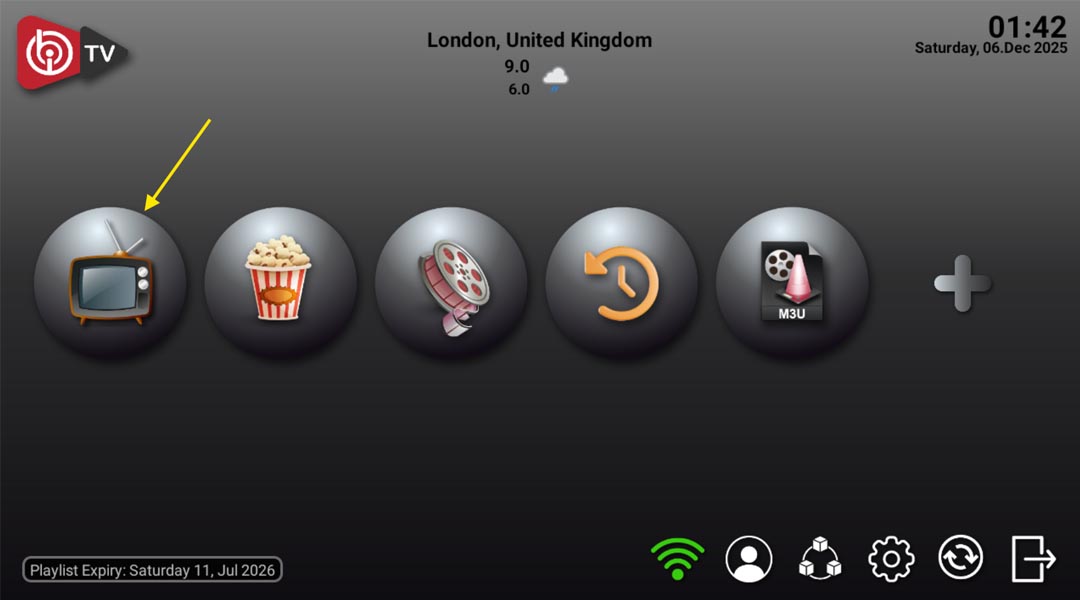
Step 1: Open IBO Player
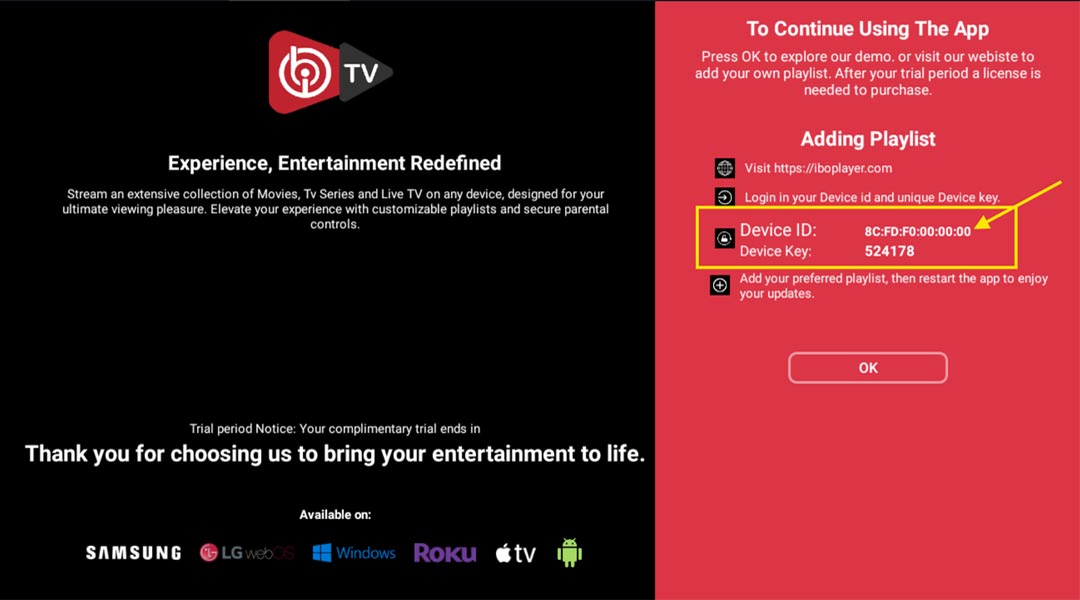
Open the app, note the MAC Address and Device Key and take a screenshot.
Step 2: Go to the activation site
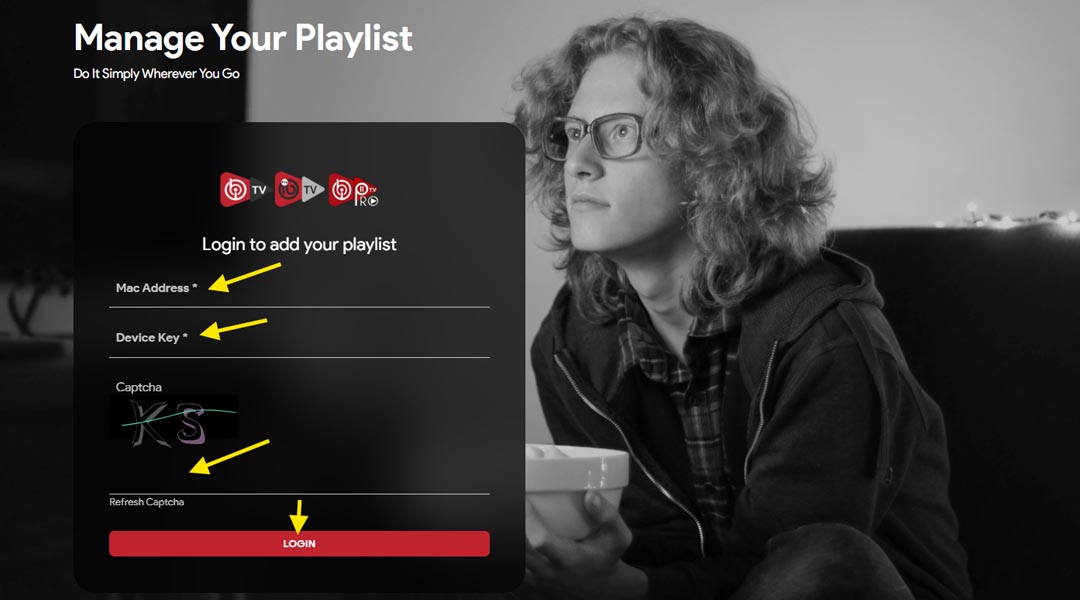
Open the device activation page, enter MAC and Device Key, then login.
Activation URL: https://iboiptv.com/device/login
Step 3: Add the playlist
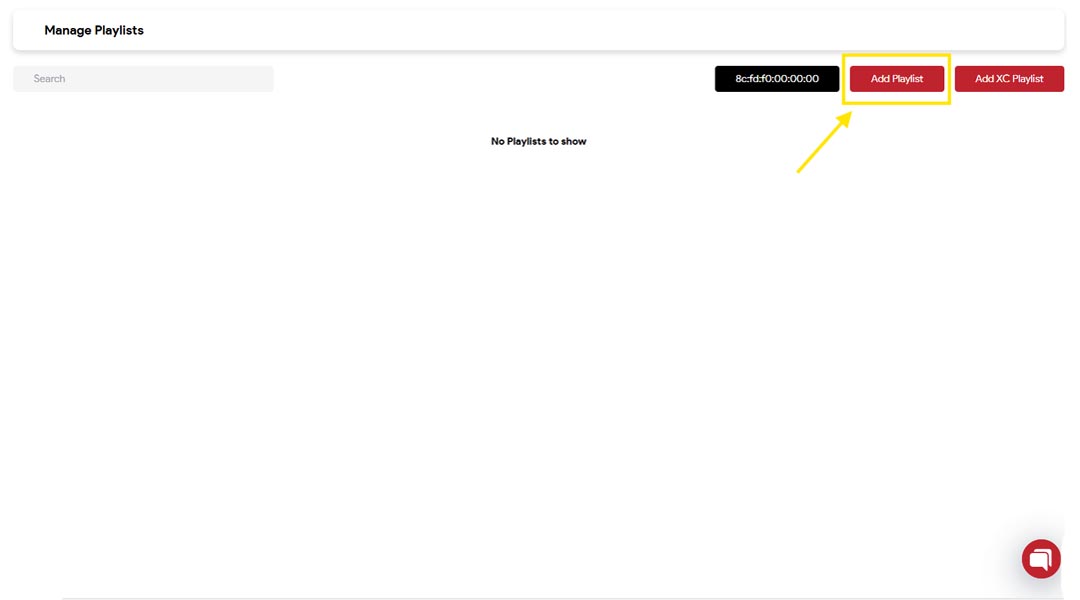
Choose Add Playlist or Add XC then add M3U URL or Xtream details.
M3U method
Server Name — Playlist URL
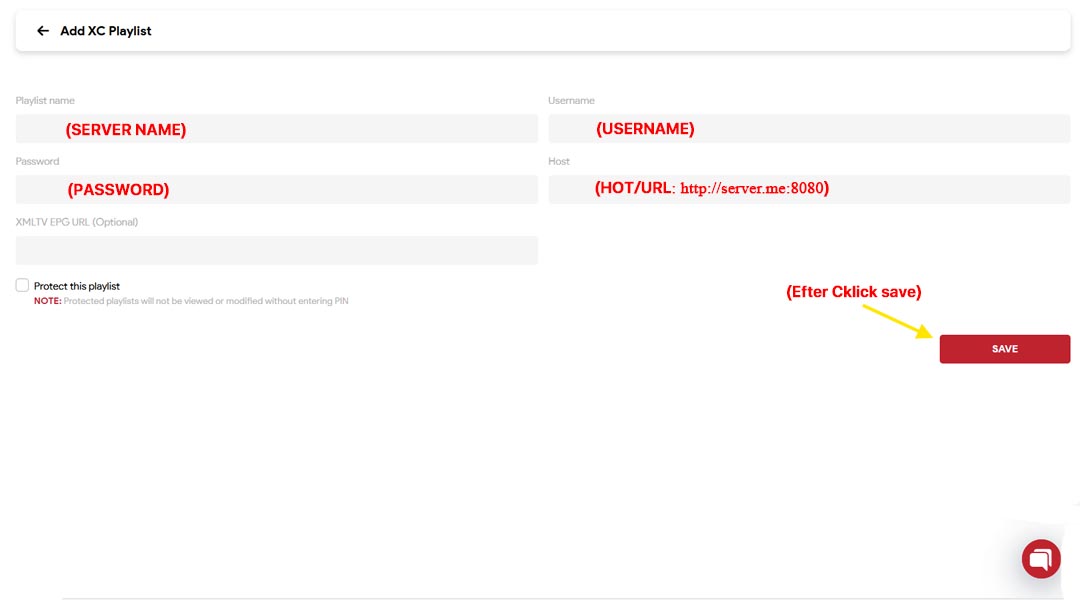
Xtream Codes method
Server Name — Host URL — Username — Password
Step 4: Restart the app
Save the configuration, close the app and reopen it to load channels.
Important notes
- Make sure the subscription link is valid
- Some providers require activation
- If channels don't appear, check connection or retry
© 2026 Family IPTV. All rights reserved